

Integrate EasyRoutes with Zapier.
Connect EasyRoutes to Zapier and its 8,000+ apps to automate delivery without writing code — bring orders in from anywhere, and send every route and stop update to the tools your team already uses.
Two triggers and an action, with 8,000+ apps on the other side
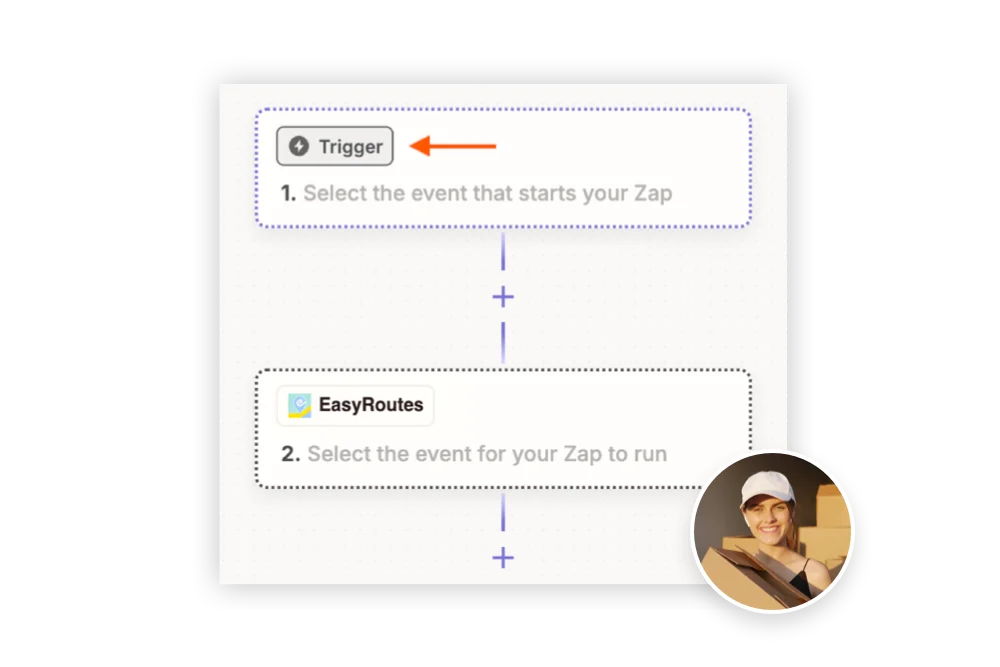
Every Zap starts with a trigger and ends with one or more actions. EasyRoutes provides both ends, so it can sit at the start of a workflow, at the end, or in the middle.
- Trigger
Route Updated
Fires when a route is created, updated, deleted and more — choose the route events you want and ignore the rest.
- Trigger
Stop Status Updated
Fires when a stop changes status: ready for delivery, out for delivery, attempted or delivered.
- Action
Import Stop
Adds an order to EasyRoutes for route planning, with its address, customer details, delivery date, line items, tags and priority.
Start from a ready-made Zap
Pre-built templates for Google Sheets, BigCommerce, Wix, Square, Stripe, Ecwid, Xero and more come with the common fields already mapped. Pick one, connect your accounts and turn it on.
What teams build with it:
Import orders from any platform
Turn new orders from BigCommerce, Wix, Square, Stripe, Ecwid, Xero, an online form, a spreadsheet or a second Shopify store into stops ready to route.
Step-by-step guide →Tell your team when deliveries happen
Message dispatchers on Slack, Teams, email or SMS when a stop is delivered or attempted, or when a route is completed.
Set up staff notifications →Fulfill Shopify orders on delivery
Mark the Shopify order fulfilled the moment EasyRoutes marks its stop delivered, with no one updating it by hand.
See the Zap →Log every delivery to a spreadsheet
Send completed stops, route summaries and customer ratings to Google Sheets for reporting alongside the rest of your data.
See the Zap →Put routes on the calendar
Create a Google Calendar event whenever a route is scheduled or changed, so dispatchers and drivers can see the week ahead.
See the Zap →Add outside details to Shopify orders
Delivery dates or time windows collected in a form, CRM or scheduling app are written back to the matching Shopify order, where EasyRoutes can use them.
See the Zap →
Connect in two steps:
- In EasyRoutes, open Settings > API and generate your Client ID and Secret Key. API access comes with every paid plan.
- In Zapier, open App Connections, add a connection, search for EasyRoutes and paste both values in. Your account is now ready for any Zap.
Want to go further? Zapier can also call the EasyRoutes API and webhooks directly. See the API Getting Started guide.
Zapier questions, answered
What can I do with EasyRoutes’ Zapier integration?
You can use Zapier to connect EasyRoutes with 8,000+ apps, automate order imports, trigger notifications, and sync delivery data.
What triggers and actions does EasyRoutes provide in Zapier?
Two triggers, “Route Updated” and “Stop Status Updated”, and one action, “Import Stop”, which adds an order to EasyRoutes for route planning.
See: Zapier Guide
What are some pre-built Zapier templates for EasyRoutes?
EasyRoutes provides templates for importing orders from platforms like Google Sheets, BigCommerce, Wix, Square and Xero, for email alerts, for Google Sheets logging, and more.
Can Zapier integrate EasyRoutes with my CRM or ERP?
Yes. Zapier supports connecting EasyRoutes with CRMs like HubSpot or ERPs like NetSuite.
Do I need coding skills to set up Zapier with EasyRoutes?
No. Zapier is a no-code platform that works with EasyRoutes webhooks and actions.
Can I use Zapier with EasyRoutes for Shopify and for Web?
Yes. Zapier works with both, to import, sync and automate orders. On Shopify it is most useful for orders from a second store or another source; on Web it can bring in orders from just about anywhere.