
















Platform / Live
Delivery Driver Mobile App

Give Drivers Everything They Need

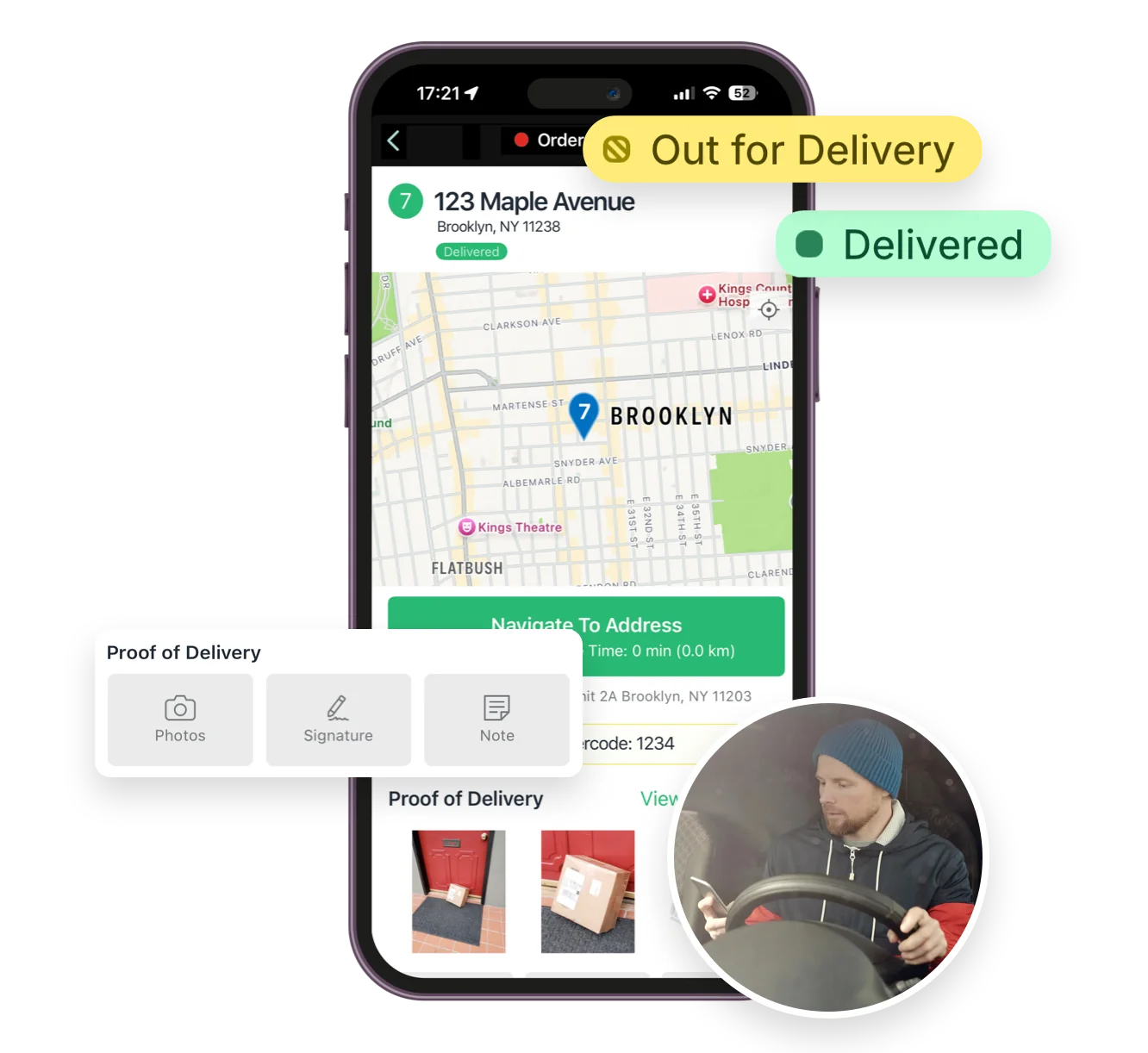
Dispatch routes directly to your drivers’ phones. With turn-by-turn navigation, order details, and proof-of-delivery tools, everything drivers need is one tap away.

Download on the iOS App StoreGet it on Google Play
Give Drivers Everything They Need

4.9 stars · 5,000+ businesses · 75+ countries

The Million Roses
Ecofuel
Sonno
Wooftown
Slice
Home Luxury Scents
Gas Guys
Frozen Service
Organic Oren
Bloomen
Country Life
Gilly
Jomo
Redstart Foods
Sweete
Butter & Crust
“The app on the phone is amazing and beats any competition. Highly recommended!!”

Delivery Driver Mobile App

EasyRoutes’ Delivery Driver mobile app replaces paper-based workflows with a seamless, all-in-one digital experience designed specifically for last-mile efficiency. Drivers can view assigned routes, get turn-by-turn directions in their navigation app of choice, confirm package accuracy with custom barcode scans, mark stops as complete, collect proof of delivery, and send status updates—all from their mobile device.

With real-time sync to Shopify and EasyRoutes dispatcher dashboards, the mobile app ensures delivery progress is always up to date, even as routes change on the fly. The intuitive interface reduces training time and helps drivers stay organized and on track, making it easier to complete more deliveries in less time while maintaining a high level of accuracy and customer satisfaction.

  • Step-by-StepNo training needed, our app guides your driver stop-by-stop, step-by-step.
  • Get DirectionsUse your favourite navigation app: Google Maps, Waze, or Apple Maps.
  • Route InventoryView an inventory of items that need to be packed before heading out.
  • Proof of DeliveryAttach multiple photos, an e-signature, or a delivery note as proof of delivery.
  • Update OrdersOrder status updates are automatically synced back to EasyRoutes instantly.
  • Drive Times/ETAsETAs for each stop are dynamically updated as you move through the route.
From dispatch to first stop

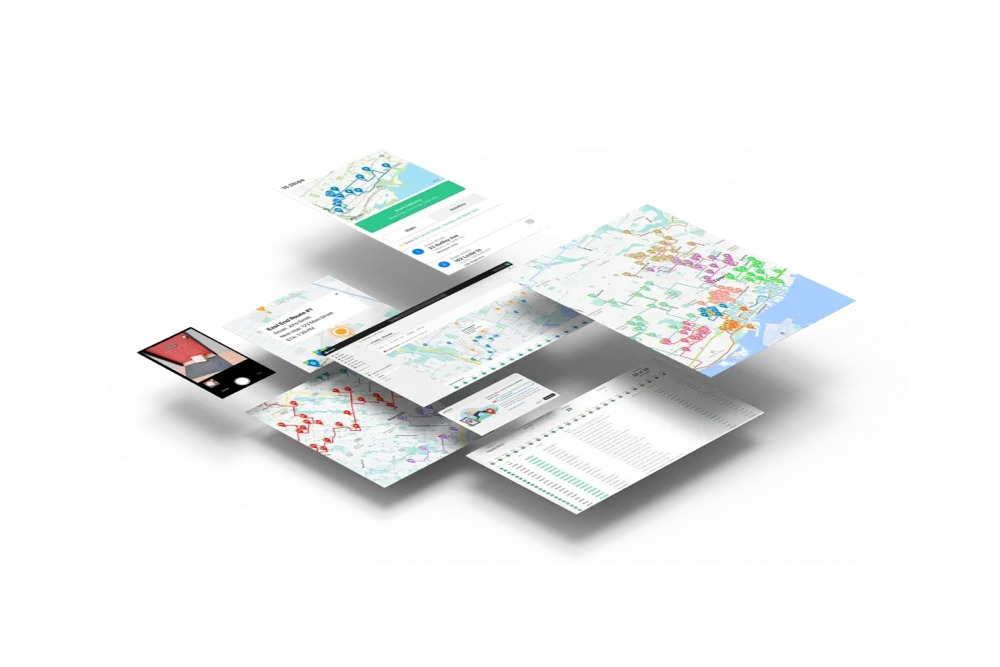
Plan and optimize the route in EasyRoutes, then dispatch it. The route arrives on your driver's phone with the stops in order, the inventory to pack, and directions waiting behind every address — nothing to print, nothing to explain.

  1. 01PlanStops land on the map and the route optimizes itself.
  2. 02DispatchOne tap sends it to the driver assigned to it.
  3. 03DriveIt opens on their phone, ready to start.
East End Route Stops Inventory Real-time Tracking Toronto EasyRoutes Delivery Driver Dispatch Route 0 1 2 3 4 5 6 7 0 4 9 12 18 22 27 30 Real-time Tracking 1 2 3 4 5 6 7 No new routes Waiting for dispatch ROUTE 24 East End Route 7 stops · 8:00am Start route ROUTE 24 East End Route 7 stops · 8:00am Dispatch Route Real-time Tracking 7 30 1 2 3 4 5 6 7 ROUTE 24 East End Route 7 stops · 8:00am Start route
13 questions

Frequently asked questions

Where can drivers download the EasyRoutes Delivery Driver app?

The EasyRoutes Delivery Driver app is available for iOS and Android. Use our official download links to install and sign in with your driver phone number.

See: Where can I download the EasyRoutes Delivery Driver app?

How do drivers sign in to the app?

Drivers sign in with the phone number used when they were added as a driver. They’ll receive an SMS code and can then access assigned routes.

See: How do I sign in or sign up?

Does the app provide turn-by-turn navigation?

Yes. Drivers can launch directions via Google Maps, Apple Maps, or Waze from each stop, and pick a default navigation app in their mobile app settings.

See: Selecting a Navigation App

Does the app send push notifications for new routes?

Yes. When a route is dispatched and assigned, the driver receives a push notification with a shortcut into the route (requires notification permission).

See: Route Dispatch

Can the app work offline?

Yes. If a route is opened while the device is online, the app caches details so drivers can continue working with limited or no connectivity; updates to the route and individual stops will sync back to EasyRoutes when the device is back online.

See: Offline Use

Can drivers see customer notes?

Yes. Delivery and customer notes from the order can be shown in the driver app; enable these fields in Route/Driver display settings.

See: Viewing Delivery & Customer Notes

Can drivers re-order or re-optimize their stops in the app?

Yes — if enabled. Planners can allow drivers to manually reorder stops and or re‑optimize remaining stops mid‑route.

See: Re‑optimize remaining stops

Can drivers capture proof of delivery from the app?

Absolutely. Drivers can add photos, collect an e‑signature, and record notes at each stop; these appear in the route and customer tracking (if enabled).

See: Proof of Delivery

Is EasyRoutes multilingual?

Yes. Tracking pages and customer notifications can be customized in your preferred language; order data is shown in the language received from your system. The mobile driver app supports automatic English, French, Spanish, Dutch, and German translations.

See: Is EasyRoutes available in my language?

What are the digital inventory/loading checklists and how do drivers use them?

EasyRoutes auto-builds a route inventory drivers use as a loading checklist, with Summary, Items, and Orders views in the app. See: Using the Delivery Driver app

What languages does the Delivery Driver app support?

The Delivery Driver app is available in English, Dutch, and German, and drivers can set their preferred app language in settings; customer notifications and tracking pages can be written in any language. See: Using the Delivery Driver app

Can drivers mark a stop as attempted/failed and record a reason?

Yes. From the Update Status section, drivers mark a stop Attempted, choose a preset reason (e.g. no answer, inaccessible, Canceled), and can add a note or proof. See: Using the Delivery Driver app

Does the Delivery Driver app work on tablets as well as phones?

Yes. The app runs on iOS (including iPad) and Android phones and tablets — install it from the App Store or Google Play and sign in with the driver’s phone number. See: Download the Delivery Driver app

Your delivery day, planned before you get in.