














Platform / Live
Florists

Local delivery for flowers made easy

Deliver beauty on time, every time. Manage your floral deliveries seamlessly and keep customers' blooms fresh.

No credit card required. Cancel any time.

4.9 stars · 5,000+ businesses · 75+ countries

The Million Roses
Ecofuel
Sonno
Wooftown
Slice
Home Luxury Scents
Gas Guys
Frozen Service
Organic Oren
Bloomen
Country Life
Gilly
Jomo
Redstart Foods
Sweete
Butter & Crust

EasyRoutes for florists

Flowers are a deadline with petals: wrong day, wrong hour, wrong anniversary, and the arrangement stops mattering. EasyRoutes turns the day's orders into optimized routes built around delivery windows.

Drivers get recipient notes, buzzer codes, and stop-by-stop directions to every door. Senders and recipients both get real-time tracking and arrival alerts.

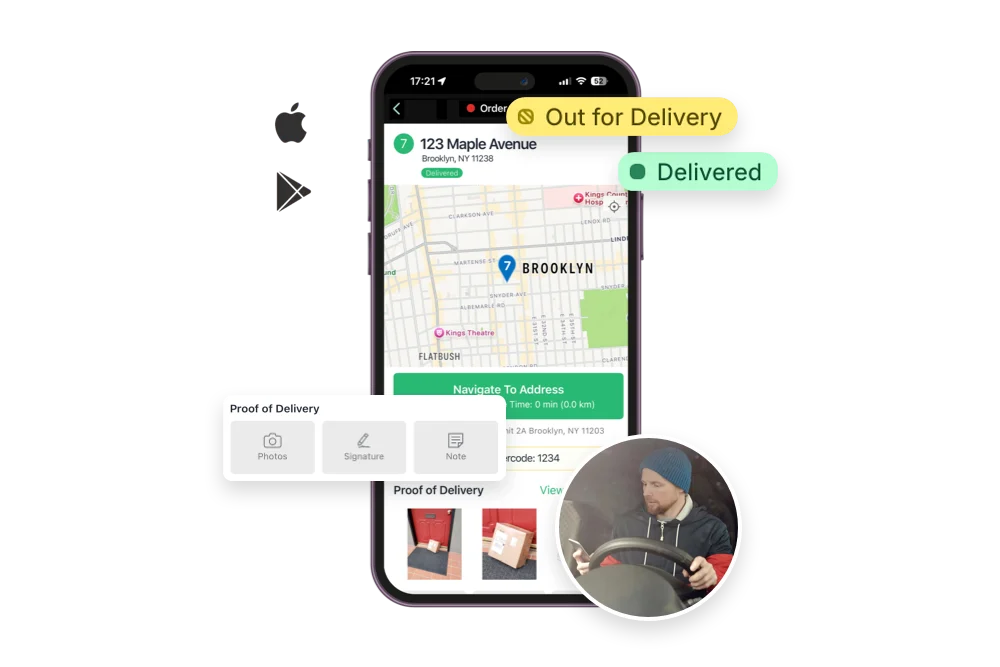
Photo proof of delivery shows the arrangement on the doorstep, still looking the way it left. Fewer remakes, calmer Mother's Days, and drivers who finish the rush on time.


Florists
"I absolutely LOVE this app! I was searching for a long time for a way to improve our delivery service. This app made us save time, work and money. It's very user friendly and offers everything we need."

Powerful features for flower deliveries, like:

  • Route OptimizationPlan the fastest and most efficient routes to deliver flowers quickly and in perfect condition. This helps maintain freshness and ensures timely arrivals for special occasions.
  • Live UpdatesProvide real-time tracking and accurate ETAs so customers know exactly when their floral arrangements will arrive. This improves communication and builds trust.
  • Photo ProofCapture photos as proof of delivery to confirm that bouquets and arrangements were delivered to the correct recipient. This helps resolve disputes and ensures peace of mind.
  • Driver NotesAdd specific instructions for each delivery, such as handling delicate arrangements or placing flowers in a specific location. This ensures flowers arrive in pristine condition.
  • Time Per StopSchedule adequate time at each stop for careful unloading and arranging flowers. This helps maintain quality and provides excellent service.
  • Custom Start/EndPlan routes that start at your flower shop and end wherever suits your workflow, like suppliers or distribution centers. This improves delivery efficiency.
  • Task ChecklistsEnsure drivers follow specific tasks, such as watering plants or confirming the recipient’s name. This helps maintain high service standards.
  • Route HistoryKeep a detailed log of past routes to analyze performance and improve future deliveries. This helps track efficiency and identify areas for growth.
See all features →

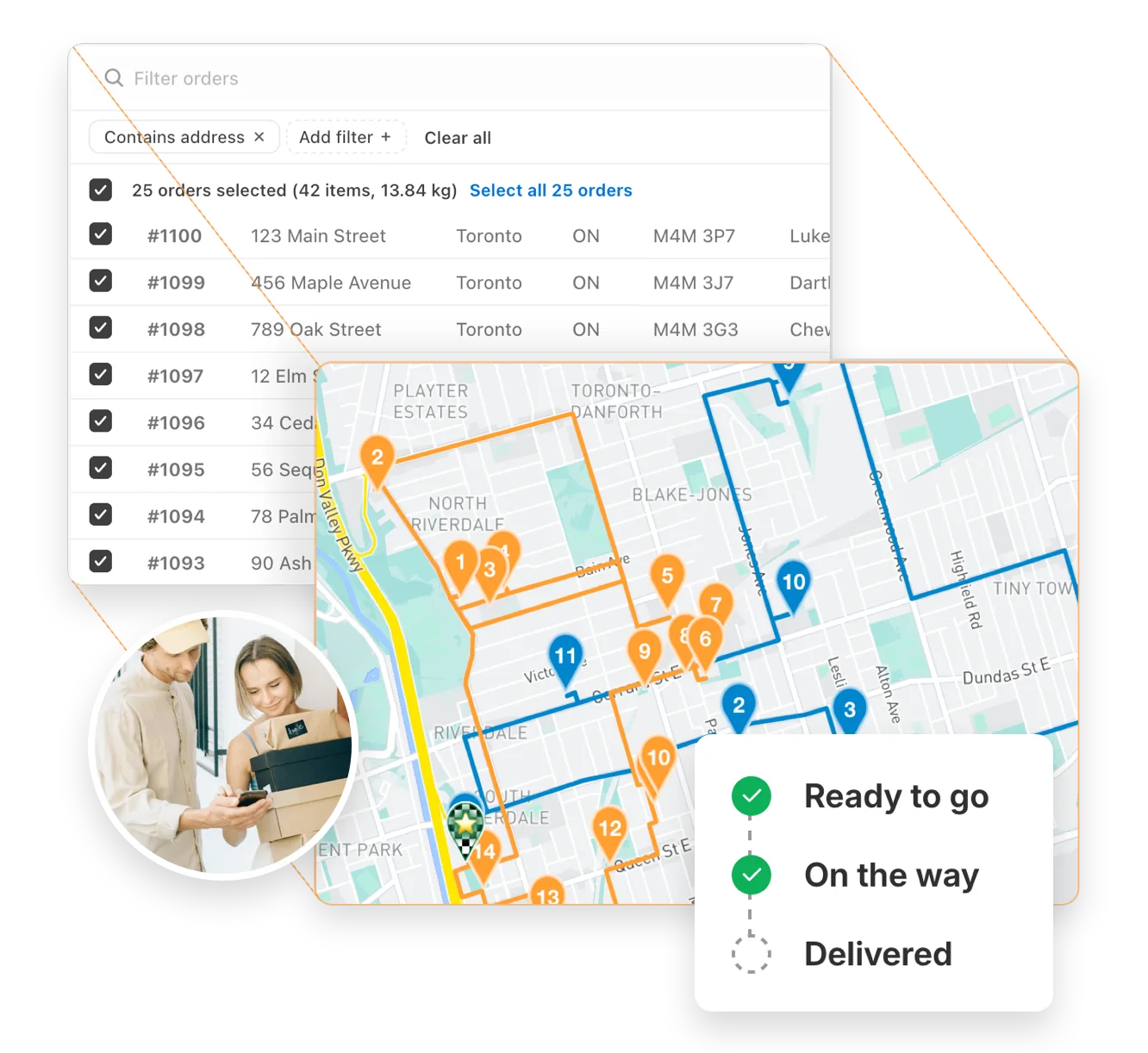
Auto-optimize delivery routes in seconds

Instantly generate the most efficient routes directly from your orders. Save hours on manual planning and cut delivery costs with powerful, scalable routing built for businesses of every size.

"The best routing app for Shopify merchants." - Shopify

Route optimization →
Auto-optimize delivery routes in seconds

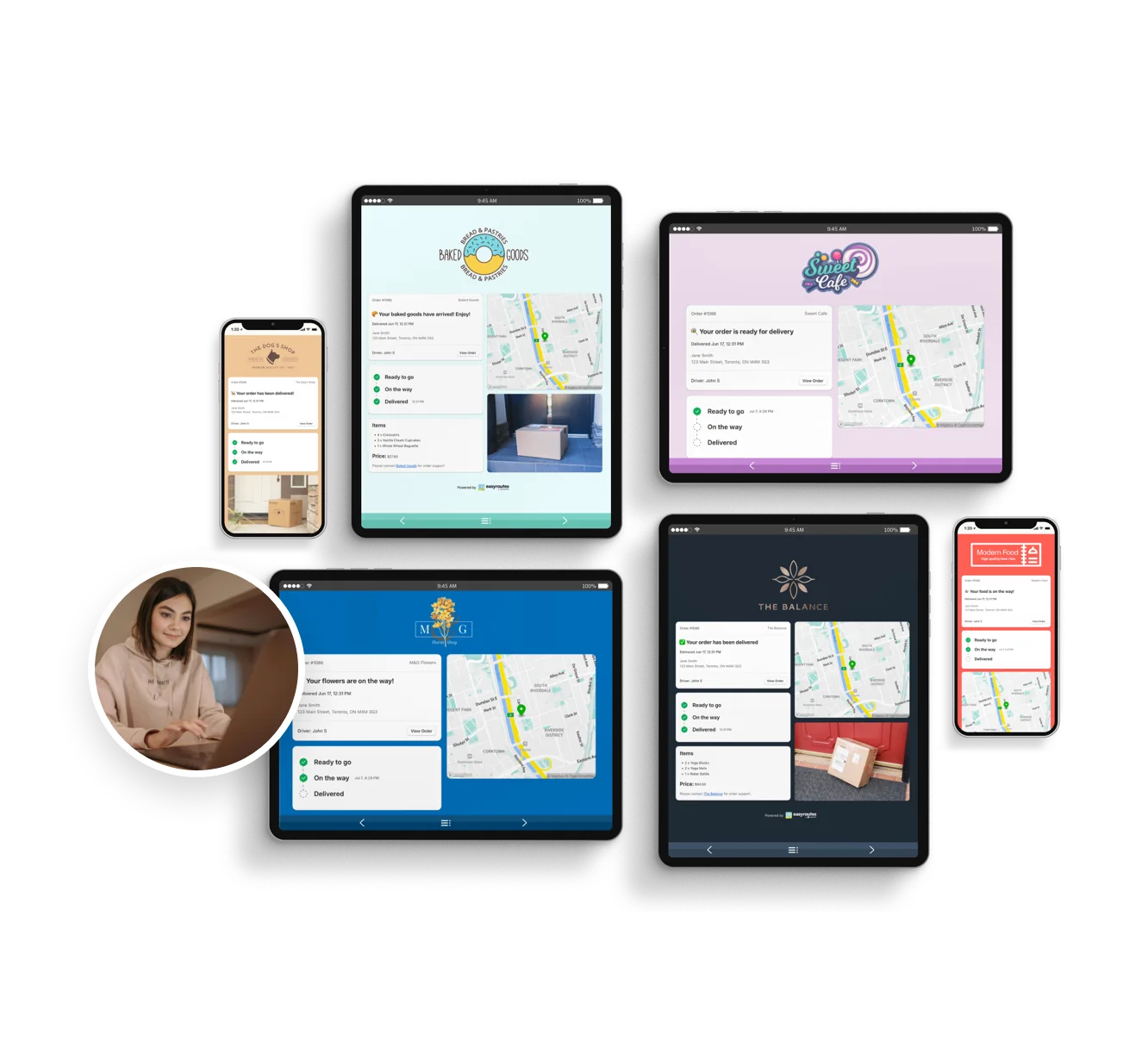
Delight customers with live delivery updates

Reduce “Where’s my order?” calls with automated SMS and email notifications. EasyRoutes includes branded tracking pages that match your business — giving customers the visibility they expect.

"Customers are loving the tracking feature...No more 'When's my order coming?' phone calls." - MB Grocery

Notifications & tracking →
Delight customers with live delivery updates

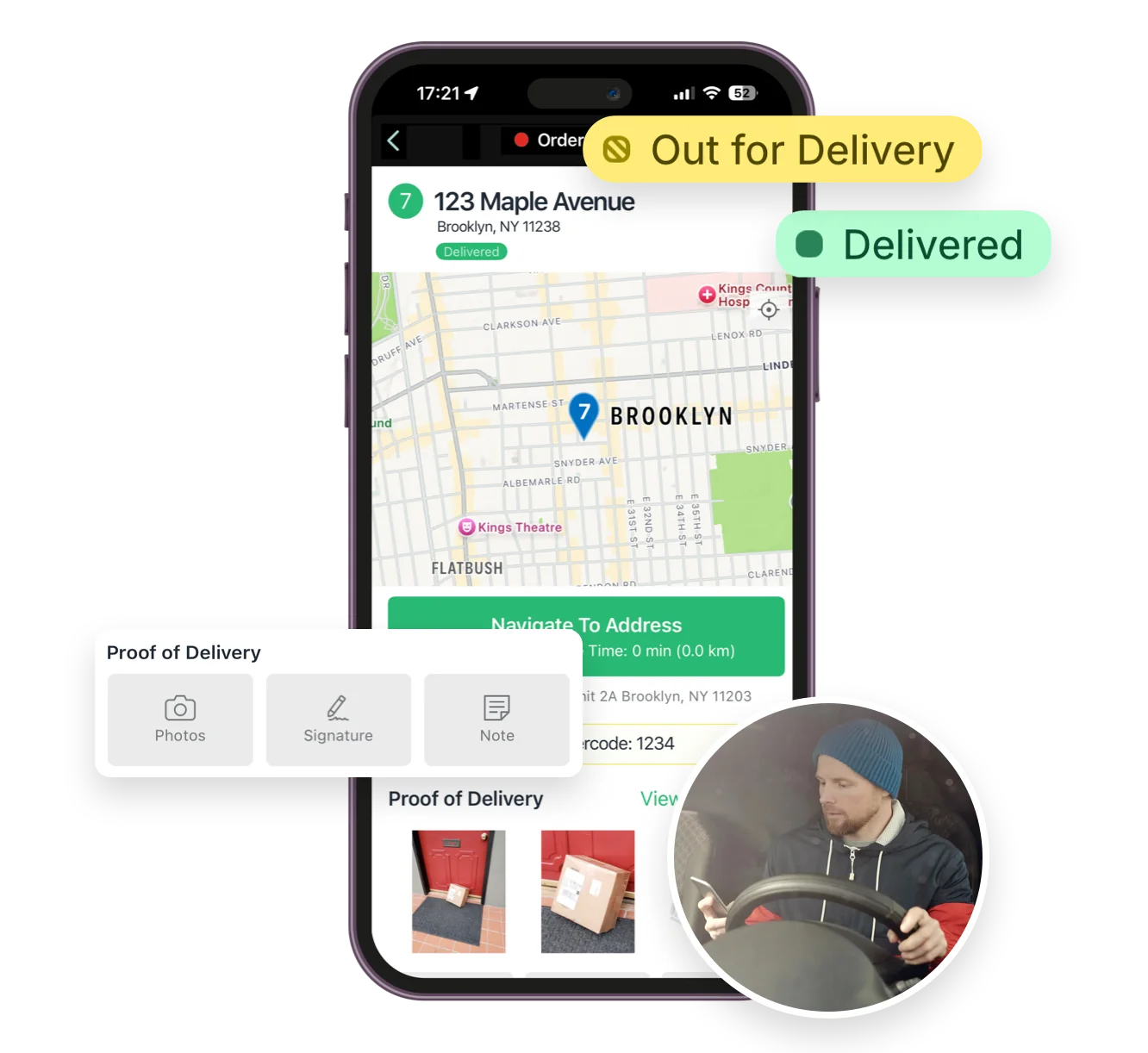
Everything your drivers need in one app

From optimized stop lists to proof of delivery, the EasyRoutes driver app gives your team all the tools they need — on iOS and Android. Turn-by-turn navigation, delivery notes, and customer info all in one place.

"I wouldn’t use any other app for my drivers!" - Solstice Savory Pies

Driver app →
Everything your drivers need in one app

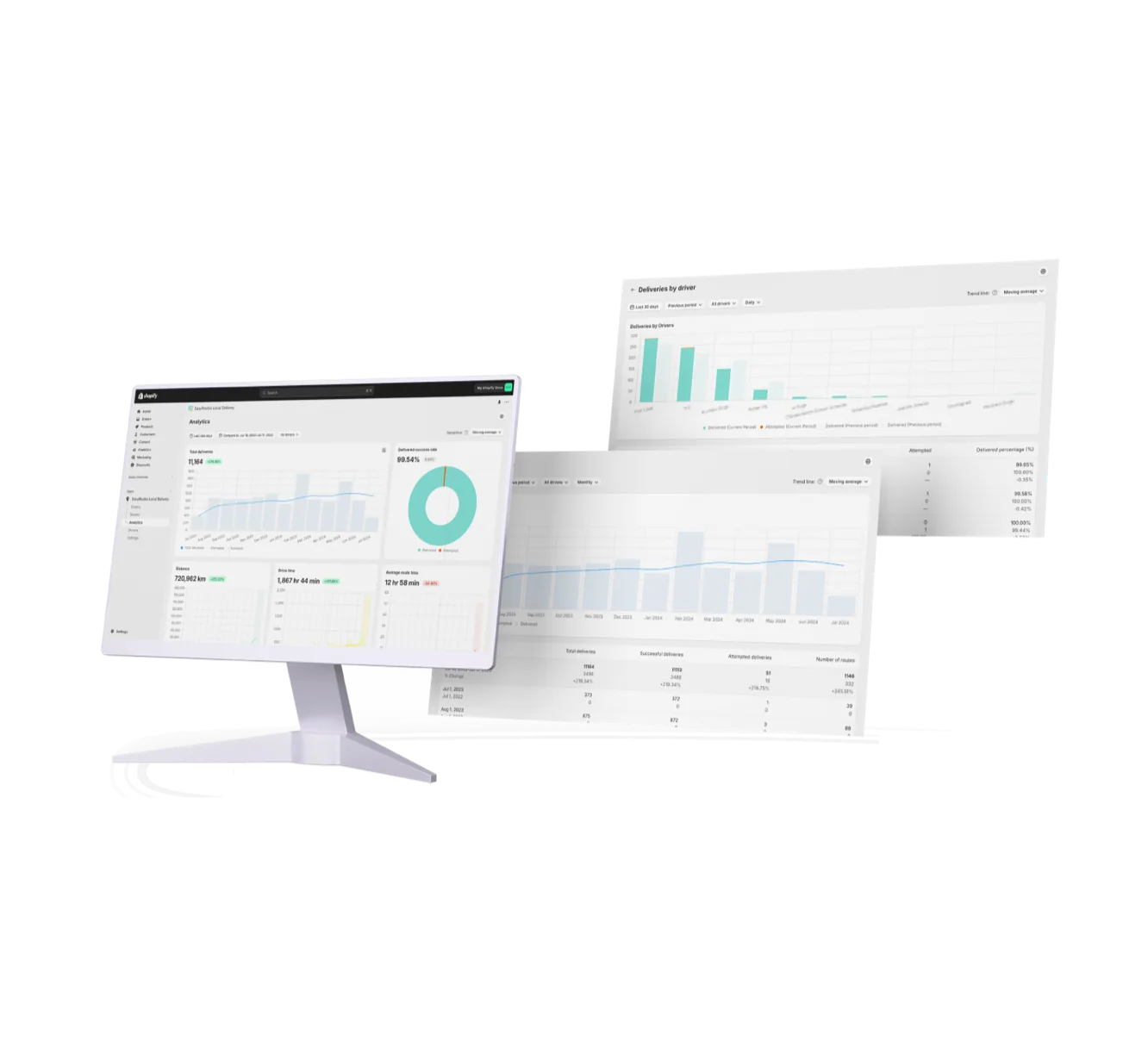
Track and improve every delivery

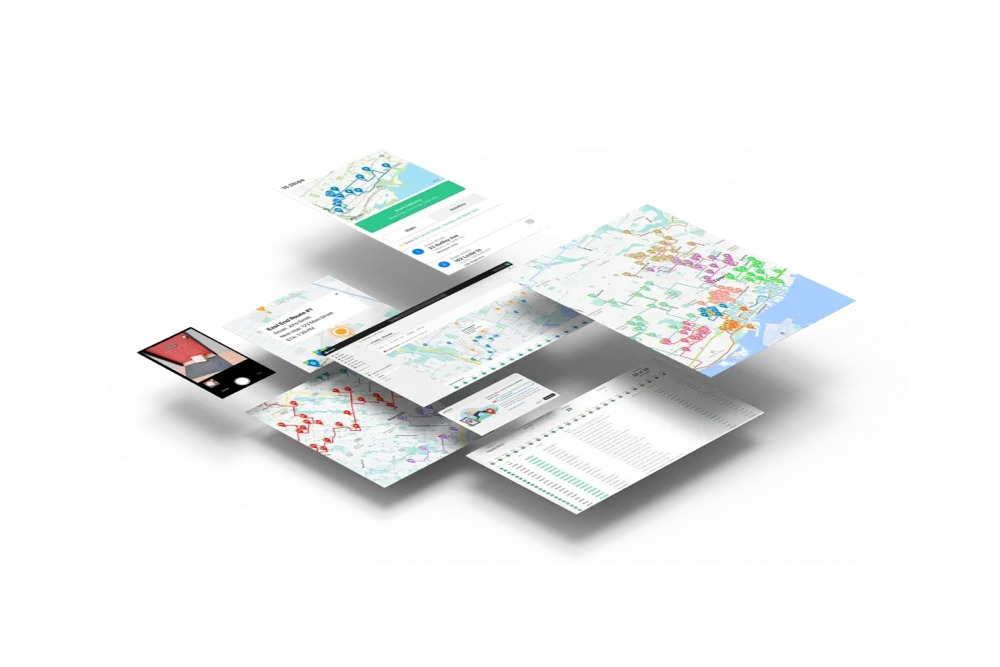
Monitor delivery progress in real time, review performance across your team, and uncover trends with powerful reporting. EasyRoutes helps you make data-driven decisions that scale with your operations.

"It's one of the most useful apps for my business that I have ever installed." - Bloomen

Delivery analytics →
Track and improve every delivery
12 questions

Frequently asked questions

How does EasyRoutes optimize my delivery routes?

EasyRoutes optimizes deliveries using your selected orders, start & end locations, stop time intervals, time windows, and route limits. You can balance routes, respect capacities, and re‑optimize as plans change.

See: Route Options · EasyRoutes 101

Does EasyRoutes support time windows for deliveries?

Yes. You can set delivery time windows per stop or import them from supported third‑party date/time apps. EasyRoutes optimizes routes to meet these windows and calculates ETAs accordingly.

See: Time Windows · Supported third-party apps

Is EasyRoutes good for same-day delivery?

Yes. Create routes in minutes, add last‑minute stops, and re‑optimize during the day. Dispatch instantly to drivers with live tracking and customer notifications.

See: Re‑optimize · Dispatch

Can drivers see customer notes?

Yes. Delivery and customer notes from the order can be shown in the driver app; enable these fields in Route/Driver display settings.

See: Viewing Delivery & Customer Notes

What are the digital inventory/loading checklists and how do drivers use them?

EasyRoutes auto-builds a route inventory drivers use as a loading checklist, with Summary, Items, and Orders views in the app. See: Using the Delivery Driver app

Can I set specific start and end locations for my routes?

Yes. Define custom start and end points per route so planning and ETAs include travel to and from these locations. Supported in EasyRoutes for Shopify and EasyRoutes for Web.

See: Start/End Locations

Can I show my driver’s real-time location to customers?

Yes. On Premium/Enterprise plans you can display a live driver pin on tracking pages when the driver is 1–10 stops away.

See: Real‑Time Driver Location Tracking

What kinds of proof of delivery can EasyRoutes capture?

EasyRoutes supports delivery photos, e‑signature, driver notes, and automatic timestamps (with GPS location when available) to provide a complete delivery record.

See: Proof of Delivery

Can I set how much time a driver spends at each stop?

Yes. Use the Time per stop route option to add a service-time buffer at every stop, factored into your ETAs and route length.

Does EasyRoutes support contactless or leave-at-door delivery?

Yes. Drivers can complete a stop without a signature by capturing a photo, GPS location, and note as proof the order was left safely.

How do I reschedule or redeliver a failed delivery?

Mark the stop Attempted with a reason, then use Send to another route to move it onto a new or upcoming route for redelivery.

How do I give drivers cold-chain or cooler-handling instructions for temperature-sensitive orders?

Add handling instructions as stop or customer notes, and use required Driver Tasks (e.g., "placed in cooler") so drivers confirm each step.

Your delivery day, planned before you get in.