














Platform / Live
For developers

Build delivery workflows your way.

Connect EasyRoutes to your stack, automate the work that matters, and shape delivery around how your business actually runs.

4.9 stars · 5,000+ businesses · 75+ countries

The Million Roses
Ecofuel
Sonno
Wooftown
Slice
Home Luxury Scents
Gas Guys
Frozen Service
Organic Oren
Bloomen
Country Life
Gilly
Jomo
Redstart Foods
Sweete
Butter & Crust
For developers

Build delivery operations on your own terms.

Import orders, build routes, dispatch drivers, and react to every stop in real time — all from your own code. Plug EasyRoutes into Shopify, your ERP, any in-house systems, or whatever you build next.

Import any order
Bring orders in from any system
Plan & dispatch
Build, optimize, and send to drivers
Real-time events
Webhooks for every status change
Production-grade
OAuth, idempotency, versioned API
Read API docs →
EasyRoutes API
</> JavaScriptNew order
01 · ORDER INTAKE

Skip the order entry.

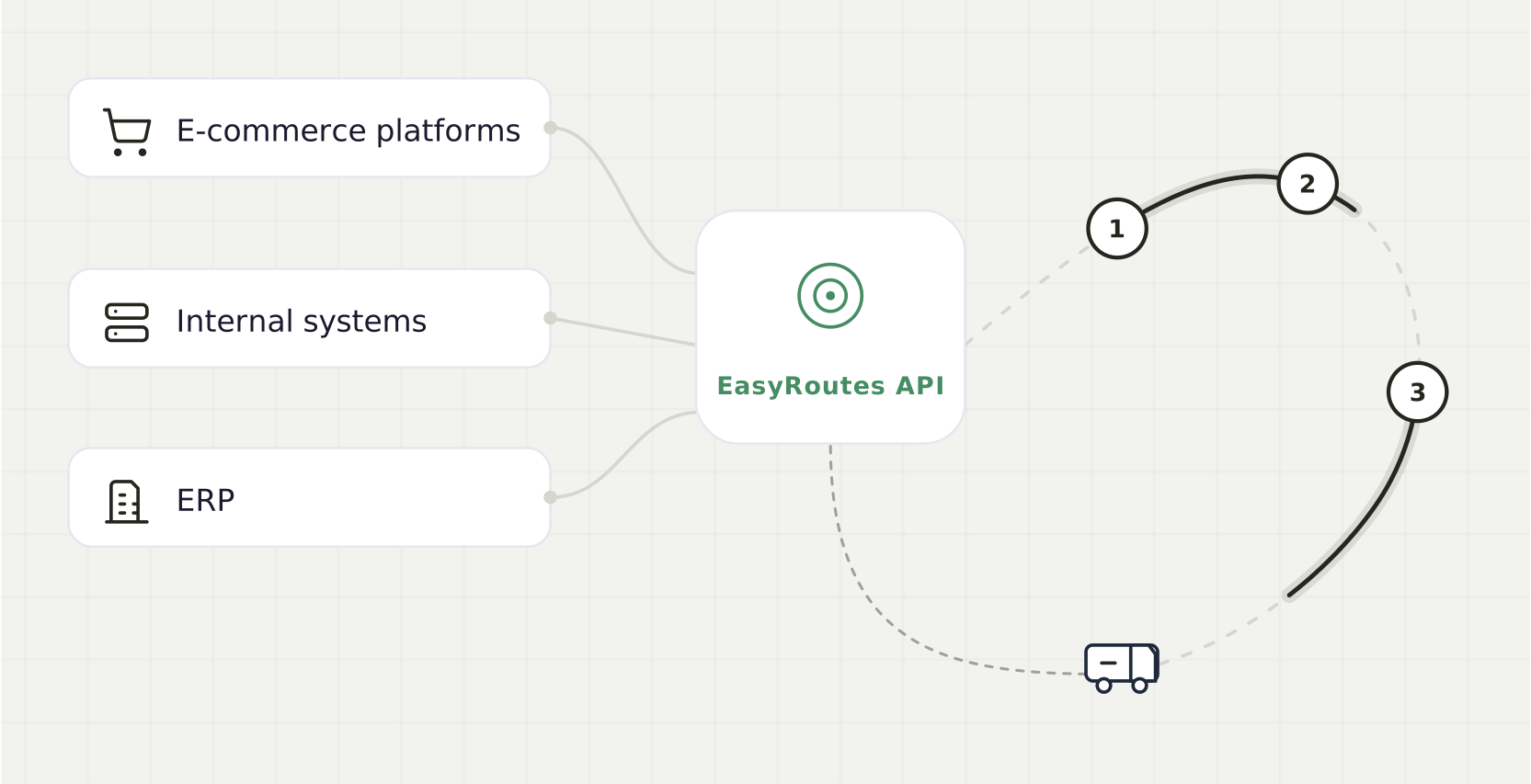
Push orders into EasyRoutes from anywhere — your eCommerce platform, ERP, customer portal, or a CSV stored in the cloud. Use Autopilot to add them to a route automatically based on rules you set.

  • Drop hours of manual data entry every day
  • Route last-minute orders the moment they land
  • Keep one source of truth across systems with clientStopId

Automated Imports →
A code editor posting an order import, the orders appearing as route-ready rows in EasyRoutes
02 · WEBHOOKS

Keep your systems in sync, in real time.

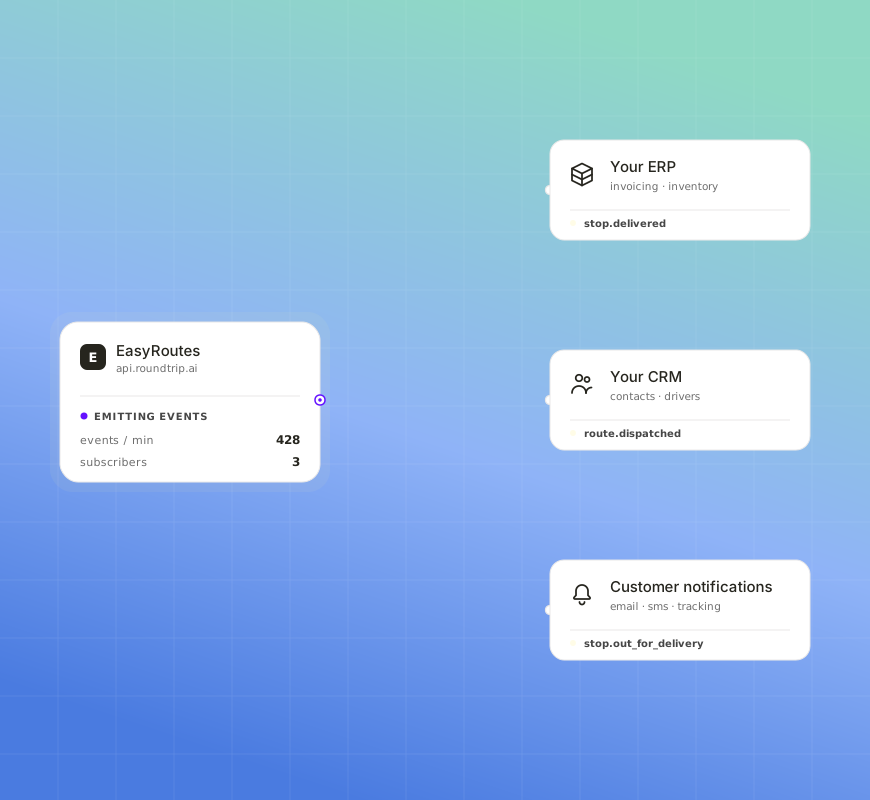
Stop polling. Subscribe to webhook events and your downstream systems light up the moment something changes — a stop is delivered, a route is dispatched, a driver hits the road.

  • Trigger invoicing the moment a stop is marked delivered
  • Update customer-facing tracking pages without writing a scraper
  • Reflect driver status in your CRM the second it changes
Webhooks Guide →
EasyRoutes emitting webhook events out to an ERP, a CRM and customer notifications as each one fires
03 · REOPTIMIZE

Reoptimize a route that's already on the road.

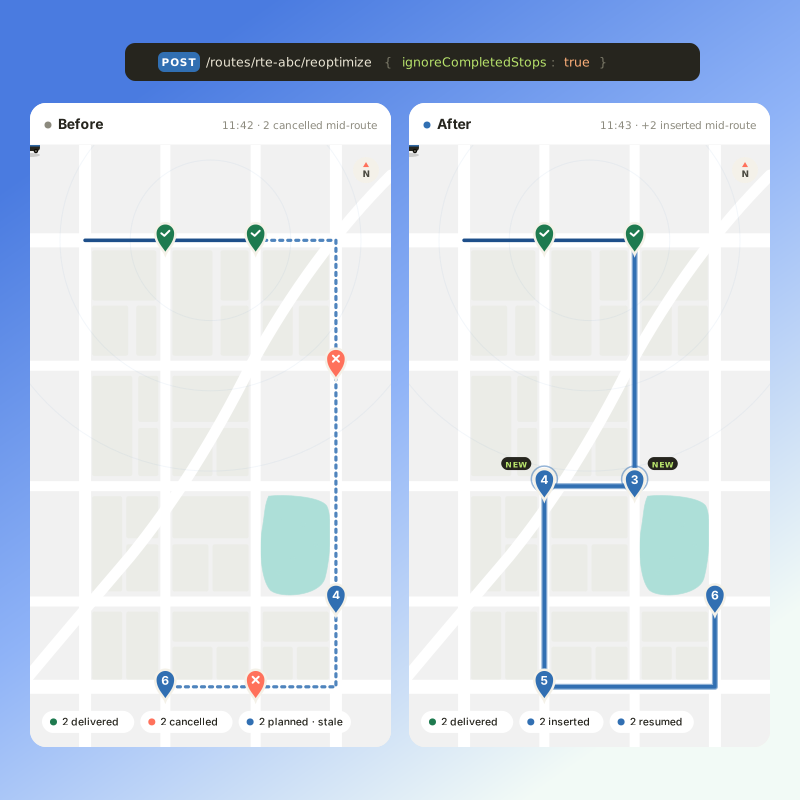
An order cancels, a stop fails, a driver gets stuck — call EasyRoutes' reoptimize endpoint, and the route reshapes itself around what's already done. The driver app picks up the new sequence immediately.

  • Skip completed stops automatically with ignoreCompletedStops
  • Override planning constraints when the day demands it
  • Keep drivers moving without re-dispatching a fresh route
Reoptimize Routes →
A route before and after reoptimizing mid-shift: cancelled stops dropped, new stops inserted around the ones already delivered
04 · PROOF OF DELIVERY

Capture proof of delivery, automatically.

Subscribe to stop status events and get the photo, eSignature, notes, and a GPS-tagged timestamp the moment the driver completes a stop — no manual sync required.

  • Pull ePOD photos and signatures straight into your system of record
  • Resolve customer disputes with evidence already on file
  • Build automated reports without scraping the app
Webhook topics →
A STOP_UPDATED webhook payload filling in beside a proof-of-delivery card with photo, signature and timestamp
5 questions

API questions, answered

Does EasyRoutes have an API?

Yes. EasyRoutes offers a public API and webhooks for integrating with external systems or building custom automation. API access is included with every paid plan.

See: API Getting Started · Routes API

What can I do with the API?

Use the API to import stops, create and optimize routes, assign/dispatch to drivers, update stop/route status, and retrieve route data and history.

See: Routes API

How do I authenticate API requests?

Generate a Client ID and Secret Key under Settings > API in EasyRoutes, then exchange them for a short-lived access token and include it with each request, as the Getting Started guide shows.

See: API Getting Started

Are there API rate limits?

Yes. Rate limits protect platform reliability. If you plan high‑volume integrations, contact support to discuss throughput and best practices (batching, webhooks).

See: API Getting Started

Can I test the API in a sandbox environment?

We recommend using a test store or non‑production data for integration testing — e.g., draft orders or manual stops with your own contacts — before pushing to production.

See: API Getting Started

Your delivery day, planned before you get in.